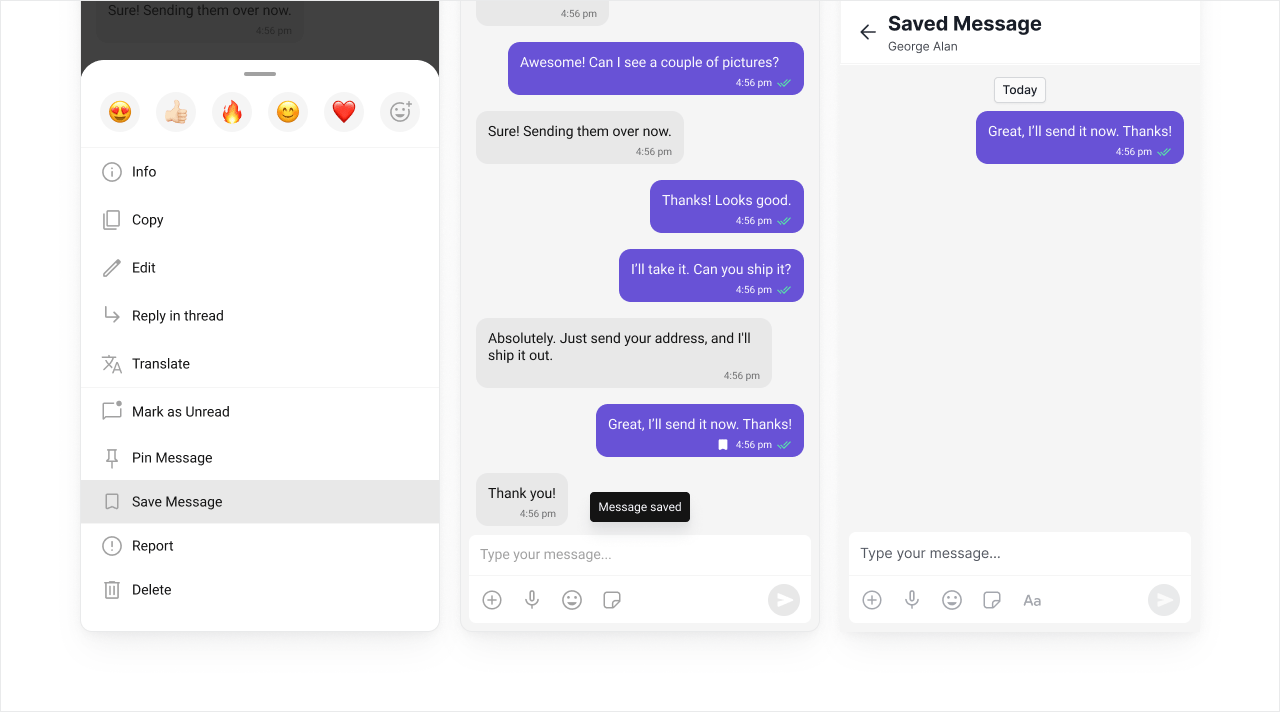
These extensions help keep users engaged and make conversations more expressive. From GIFs and stickers to polls and reminders, they add interactive elements to your chat.

Giphy

Access the world’s largest GIF library directly in your chat. Giphy offers extensive content moderation controls and supports multiple platforms. When to use: You want the widest GIF selection with strong content filtering options.
Out-of-the-box in: UI Kit Builder | Widget Builder ❌ | UI Kits | SDK

Before you begin

1

Create a Giphy app

Sign up at Giphy and create a new app.
2

Select API access

Select API and click Next.
3

Save your API key

Enter your app name and description, create the app, then copy the API key.

Extension settings

1

Open your CometChat app

Login to CometChat and select your app.
2

Enable Giphy

Go to Chat & Messaging —> Features, under Extentions and enable Giphy.
3

Add your API key

Open the extension settings, paste your Giphy API key, and save.

Implementation

TechnologySupportDocs
UI Kit Builder
Widget Builder
UI KitsJavaScriptReact NativeAndroidiOSFlutter
SDKhttps://mintcdn.com/cometchat-22654f5b-docs-platform-docs-release/nBkX5KhzzDWIdWuk/images/icons/js.svg?fit=max&auto=format&n=nBkX5KhzzDWIdWuk&q=85&s=ac02c5c31b3694feeb4b07c73bd478cchttps://mintcdn.com/cometchat-22654f5b-docs-platform-docs-release/nBkX5KhzzDWIdWuk/images/icons/react.svg?fit=max&auto=format&n=nBkX5KhzzDWIdWuk&q=85&s=c00e3ae8e088c99fc43b5ca82a149802https://mintcdn.com/cometchat-22654f5b-docs-platform-docs-release/nBkX5KhzzDWIdWuk/images/icons/android.svg?fit=max&auto=format&n=nBkX5KhzzDWIdWuk&q=85&s=f03fe7acbaded87373ae7f085318e005https://mintcdn.com/cometchat-22654f5b-docs-platform-docs-release/nBkX5KhzzDWIdWuk/images/icons/swift.svg?fit=max&auto=format&n=nBkX5KhzzDWIdWuk&q=85&s=25f757820a35df0e38aaa5f211c0f26dhttps://mintcdn.com/cometchat-22654f5b-docs-platform-docs-release/nBkX5KhzzDWIdWuk/images/icons/flutter.svg?fit=max&auto=format&n=nBkX5KhzzDWIdWuk&q=85&s=261208c44e5880cbf04f70d560406a45

Tenor

Access Google’s GIF library with built-in SafeSearch content moderation. Integrates well with other Google services. When to use: You prefer Google’s ecosystem or want simpler content moderation via SafeSearch.
Out-of-the-box in: UI Kit Builder | Widget Builder ❌ | UI Kits | SDK

Before you begin

1

Create a Tenor app

Sign up at Tenor and create a new app.
2

Save your API key

Enter your app name and description, create the app, then copy the API key.

Extension settings

1

Open your CometChat app

Login to CometChat and select your app.
2

Enable Tenor

Go to Chat & Messaging —> Features, under Extentions and enable Tenor.
3

Add your API key

Open the settings, enter your Tenor API key, and save.

Implementation

TechnologySupportDocs
UI Kit Builder
Widget Builder
UI KitsJavaScriptReact NativeAndroidiOSFlutter
SDKhttps://mintcdn.com/cometchat-22654f5b-docs-platform-docs-release/nBkX5KhzzDWIdWuk/images/icons/js.svg?fit=max&auto=format&n=nBkX5KhzzDWIdWuk&q=85&s=ac02c5c31b3694feeb4b07c73bd478cchttps://mintcdn.com/cometchat-22654f5b-docs-platform-docs-release/nBkX5KhzzDWIdWuk/images/icons/react.svg?fit=max&auto=format&n=nBkX5KhzzDWIdWuk&q=85&s=c00e3ae8e088c99fc43b5ca82a149802https://mintcdn.com/cometchat-22654f5b-docs-platform-docs-release/nBkX5KhzzDWIdWuk/images/icons/android.svg?fit=max&auto=format&n=nBkX5KhzzDWIdWuk&q=85&s=f03fe7acbaded87373ae7f085318e005https://mintcdn.com/cometchat-22654f5b-docs-platform-docs-release/nBkX5KhzzDWIdWuk/images/icons/swift.svg?fit=max&auto=format&n=nBkX5KhzzDWIdWuk&q=85&s=25f757820a35df0e38aaa5f211c0f26dhttps://mintcdn.com/cometchat-22654f5b-docs-platform-docs-release/nBkX5KhzzDWIdWuk/images/icons/flutter.svg?fit=max&auto=format&n=nBkX5KhzzDWIdWuk&q=85&s=261208c44e5880cbf04f70d560406a45

Stickers

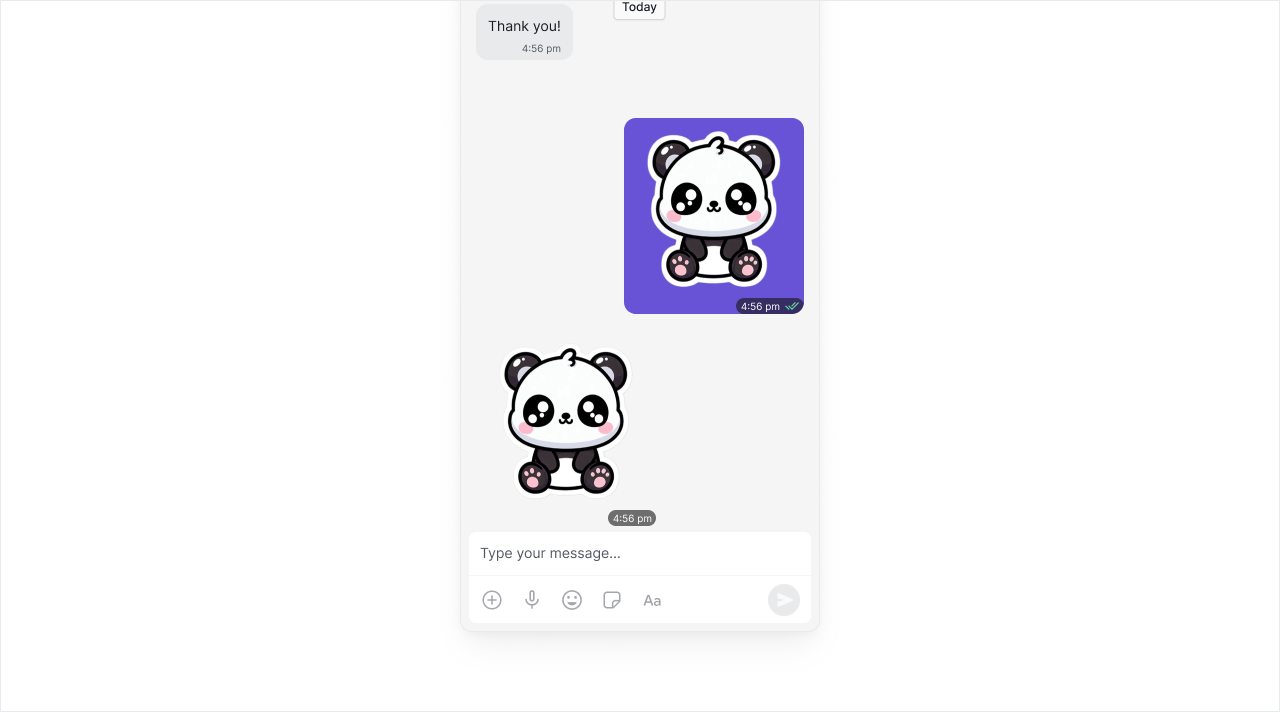
The Stickers Extension is an image manager which allows you to quickly add/remove stickers directly from the dashboard. Full control over your sticker library. When to use: You want to curate your own sticker sets or use custom branded stickers.
Out-of-the-box in: UI Kit Builder ✅ | Widget Builder ✅ | UI Kits ✅ | SDK

Extension settings

1

Open your CometChat app

Login to CometChat and select your app.
2

Enable Stickers

Go to Chat & Messaging —> Features, under Extentions and enable Stickers.
CometChat provides 14 default sticker sets. You can also create your own sets and enable only the stickers you want to use.

Implementation

TechnologySupportDocs
UI Kit Builder
Widget Builder
UI KitsJavaScriptReact NativeAndroidiOSFlutter
SDKhttps://mintcdn.com/cometchat-22654f5b-docs-platform-docs-release/nBkX5KhzzDWIdWuk/images/icons/js.svg?fit=max&auto=format&n=nBkX5KhzzDWIdWuk&q=85&s=ac02c5c31b3694feeb4b07c73bd478cchttps://mintcdn.com/cometchat-22654f5b-docs-platform-docs-release/nBkX5KhzzDWIdWuk/images/icons/react.svg?fit=max&auto=format&n=nBkX5KhzzDWIdWuk&q=85&s=c00e3ae8e088c99fc43b5ca82a149802https://mintcdn.com/cometchat-22654f5b-docs-platform-docs-release/nBkX5KhzzDWIdWuk/images/icons/android.svg?fit=max&auto=format&n=nBkX5KhzzDWIdWuk&q=85&s=f03fe7acbaded87373ae7f085318e005https://mintcdn.com/cometchat-22654f5b-docs-platform-docs-release/nBkX5KhzzDWIdWuk/images/icons/swift.svg?fit=max&auto=format&n=nBkX5KhzzDWIdWuk&q=85&s=25f757820a35df0e38aaa5f211c0f26dhttps://mintcdn.com/cometchat-22654f5b-docs-platform-docs-release/nBkX5KhzzDWIdWuk/images/icons/flutter.svg?fit=max&auto=format&n=nBkX5KhzzDWIdWuk&q=85&s=261208c44e5880cbf04f70d560406a45

Stipop

Stipop is the world’s trendiest sticker platform and creator community. Access thousands of sticker packs created by artists worldwide. When to use: You want access to trending, professionally-designed stickers without managing your own library.
Out-of-the-box in: UI Kit Builder | Widget Builder ❌ | UI Kits | SDK

Before you begin

1

Create a Stipop account

Sign up at Stipop.
2

Complete your app details

Provide your application name, website, category, sub-category, region, and app MAU.
3

Get your credentials

Click Get Started, then copy the API Key from the dashboard. In SettingsApplication, copy the Application ID.

Extension settings

1

Open your CometChat app

Login to CometChat and select your app.
2

Enable Stipop

Go to Chat & Messaging —> Features, under Extentions and enable Stipop.
3

Add credentials

Open the settings and enter your Stipop Application ID and API Key.

Implementation

TechnologySupportDocs
UI Kit Builder
Widget Builder
UI KitsJavaScriptReact NativeAndroidiOSFlutter
SDKhttps://mintcdn.com/cometchat-22654f5b-docs-platform-docs-release/nBkX5KhzzDWIdWuk/images/icons/js.svg?fit=max&auto=format&n=nBkX5KhzzDWIdWuk&q=85&s=ac02c5c31b3694feeb4b07c73bd478cchttps://mintcdn.com/cometchat-22654f5b-docs-platform-docs-release/nBkX5KhzzDWIdWuk/images/icons/react.svg?fit=max&auto=format&n=nBkX5KhzzDWIdWuk&q=85&s=c00e3ae8e088c99fc43b5ca82a149802https://mintcdn.com/cometchat-22654f5b-docs-platform-docs-release/nBkX5KhzzDWIdWuk/images/icons/android.svg?fit=max&auto=format&n=nBkX5KhzzDWIdWuk&q=85&s=f03fe7acbaded87373ae7f085318e005https://mintcdn.com/cometchat-22654f5b-docs-platform-docs-release/nBkX5KhzzDWIdWuk/images/icons/swift.svg?fit=max&auto=format&n=nBkX5KhzzDWIdWuk&q=85&s=25f757820a35df0e38aaa5f211c0f26dhttps://mintcdn.com/cometchat-22654f5b-docs-platform-docs-release/nBkX5KhzzDWIdWuk/images/icons/flutter.svg?fit=max&auto=format&n=nBkX5KhzzDWIdWuk&q=85&s=261208c44e5880cbf04f70d560406a45

Message Translation

Translate messages in real-time to break language barriers. Supports multiple languages and integrates with Google Translate. When to use: International teams, global communities, customer support across regions.
Out-of-the-box in: UI Kit Builder | Widget Builder ❌ | UI Kits | SDK

Before you begin

1

Create a Google Cloud project

Sign up at Google Cloud Console and create a new project.
2

Enable Cloud Translation API

In your project, go to APIs & ServicesLibrary and enable the Cloud Translation API.
3

Create API credentials

Go to APIs & ServicesCredentials and create an API key.

Extension settings

1

Open your CometChat app

Login to CometChat and select your app.
2

Enable Message Translation

Go to Chat & Messaging —> Features, under Extentions and enable Message Translation.
3

Add your API key

Open the extension settings, paste your Google Cloud API key, and save.

Implementation

TechnologySupportDocs
UI Kit Builder
Widget Builder
UI KitsJavaScriptReact NativeAndroidiOSFlutter
SDKhttps://mintcdn.com/cometchat-22654f5b-docs-platform-docs-release/nBkX5KhzzDWIdWuk/images/icons/js.svg?fit=max&auto=format&n=nBkX5KhzzDWIdWuk&q=85&s=ac02c5c31b3694feeb4b07c73bd478cchttps://mintcdn.com/cometchat-22654f5b-docs-platform-docs-release/nBkX5KhzzDWIdWuk/images/icons/react.svg?fit=max&auto=format&n=nBkX5KhzzDWIdWuk&q=85&s=c00e3ae8e088c99fc43b5ca82a149802https://mintcdn.com/cometchat-22654f5b-docs-platform-docs-release/nBkX5KhzzDWIdWuk/images/icons/android.svg?fit=max&auto=format&n=nBkX5KhzzDWIdWuk&q=85&s=f03fe7acbaded87373ae7f085318e005https://mintcdn.com/cometchat-22654f5b-docs-platform-docs-release/nBkX5KhzzDWIdWuk/images/icons/swift.svg?fit=max&auto=format&n=nBkX5KhzzDWIdWuk&q=85&s=25f757820a35df0e38aaa5f211c0f26dhttps://mintcdn.com/cometchat-22654f5b-docs-platform-docs-release/nBkX5KhzzDWIdWuk/images/icons/flutter.svg?fit=max&auto=format&n=nBkX5KhzzDWIdWuk&q=85&s=261208c44e5880cbf04f70d560406a45

Polls

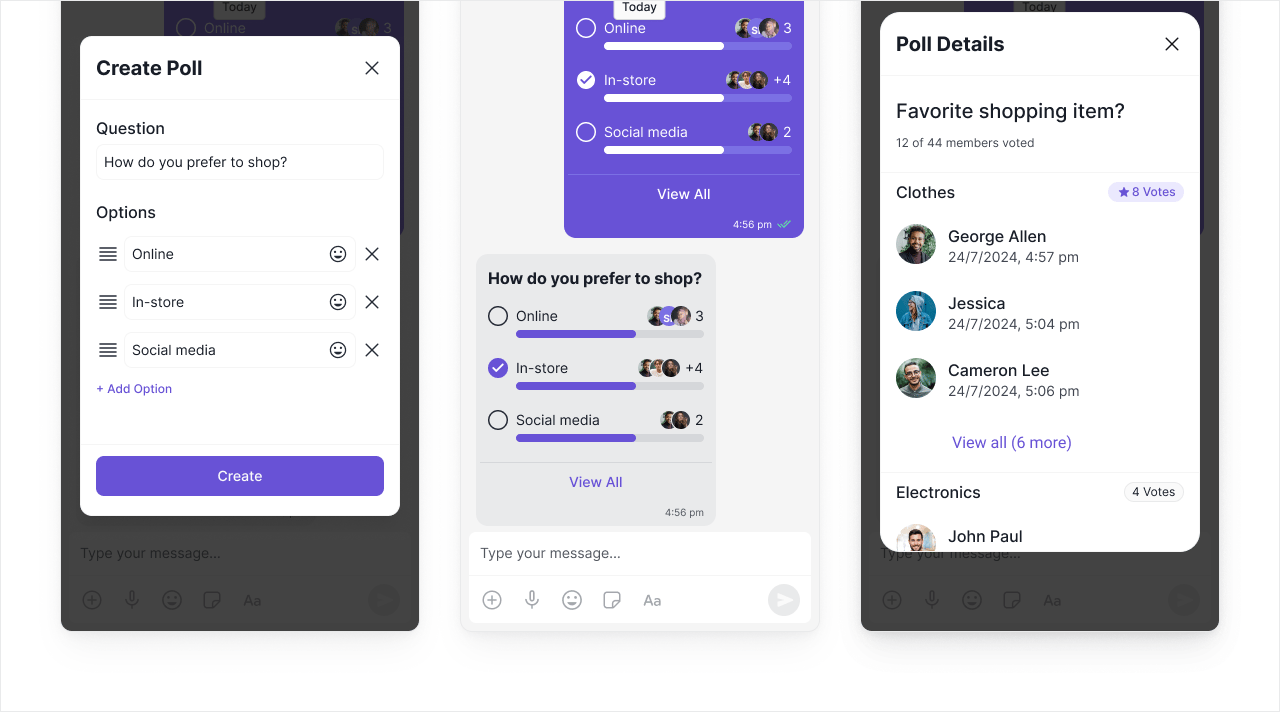
Create interactive polls to gather opinions and make group decisions. Users can vote and see results in real-time. When to use: Team decisions, event planning, community feedback, quick surveys.
Out-of-the-box in: UI Kit Builder ✅ | Widget Builder ✅ | UI Kits ✅ | SDK

Extension settings

1

Open your CometChat app

Login to CometChat and select your app.
2

Enable Polls

Go to Chat & Messaging —> Features, under Extentions and enable Polls.

Implementation

TechnologySupportDocs
UI Kit Builder
Widget Builder
UI KitsJavaScriptReact NativeAndroidiOSFlutter
SDKhttps://mintcdn.com/cometchat-22654f5b-docs-platform-docs-release/nBkX5KhzzDWIdWuk/images/icons/js.svg?fit=max&auto=format&n=nBkX5KhzzDWIdWuk&q=85&s=ac02c5c31b3694feeb4b07c73bd478cchttps://mintcdn.com/cometchat-22654f5b-docs-platform-docs-release/nBkX5KhzzDWIdWuk/images/icons/react.svg?fit=max&auto=format&n=nBkX5KhzzDWIdWuk&q=85&s=c00e3ae8e088c99fc43b5ca82a149802https://mintcdn.com/cometchat-22654f5b-docs-platform-docs-release/nBkX5KhzzDWIdWuk/images/icons/android.svg?fit=max&auto=format&n=nBkX5KhzzDWIdWuk&q=85&s=f03fe7acbaded87373ae7f085318e005https://mintcdn.com/cometchat-22654f5b-docs-platform-docs-release/nBkX5KhzzDWIdWuk/images/icons/swift.svg?fit=max&auto=format&n=nBkX5KhzzDWIdWuk&q=85&s=25f757820a35df0e38aaa5f211c0f26dhttps://mintcdn.com/cometchat-22654f5b-docs-platform-docs-release/nBkX5KhzzDWIdWuk/images/icons/flutter.svg?fit=max&auto=format&n=nBkX5KhzzDWIdWuk&q=85&s=261208c44e5880cbf04f70d560406a45

Reminders

Set reminders for messages to follow up later. Users receive notifications at the scheduled time. When to use: Task follow-ups, meeting reminders, deadline tracking, important message callbacks.
Out-of-the-box in: UI Kit Builder | Widget Builder ❌ | UI Kits | SDK

Extension settings

1

Open your CometChat app

Login to CometChat and select your app.
2

Enable Reminders

Go to Chat & Messaging —> Features, under Extentions and enable Reminders.

Implementation

TechnologySupportDocs
UI Kit Builder
Widget Builder
UI KitsJavaScriptReact NativeAndroidiOSFlutter
SDKhttps://mintcdn.com/cometchat-22654f5b-docs-platform-docs-release/nBkX5KhzzDWIdWuk/images/icons/js.svg?fit=max&auto=format&n=nBkX5KhzzDWIdWuk&q=85&s=ac02c5c31b3694feeb4b07c73bd478cchttps://mintcdn.com/cometchat-22654f5b-docs-platform-docs-release/nBkX5KhzzDWIdWuk/images/icons/react.svg?fit=max&auto=format&n=nBkX5KhzzDWIdWuk&q=85&s=c00e3ae8e088c99fc43b5ca82a149802https://mintcdn.com/cometchat-22654f5b-docs-platform-docs-release/nBkX5KhzzDWIdWuk/images/icons/android.svg?fit=max&auto=format&n=nBkX5KhzzDWIdWuk&q=85&s=f03fe7acbaded87373ae7f085318e005https://mintcdn.com/cometchat-22654f5b-docs-platform-docs-release/nBkX5KhzzDWIdWuk/images/icons/swift.svg?fit=max&auto=format&n=nBkX5KhzzDWIdWuk&q=85&s=25f757820a35df0e38aaa5f211c0f26dhttps://mintcdn.com/cometchat-22654f5b-docs-platform-docs-release/nBkX5KhzzDWIdWuk/images/icons/flutter.svg?fit=max&auto=format&n=nBkX5KhzzDWIdWuk&q=85&s=261208c44e5880cbf04f70d560406a45